
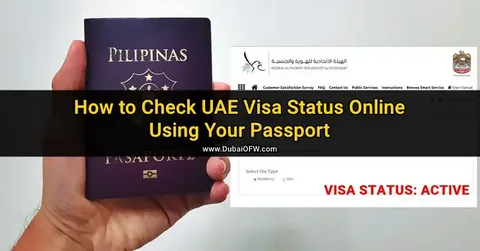
Here is the direct answer. Open the ICP website. Select “Passport Information.” Enter the passport number, nationality, and date of birth. Click search. The employment visa status appears in seconds. No application number needed. No file number needed. Just the passport number. For Dubai-issued employment visas, use the GDRFA website instead. Same steps. Passport number only. For faster results, download the UAEICP mobile app. Tap Public Inquiry. Select Passport. Enter passport details. Done. That is how to check UAE visa status for employment visas. Simple. Fast. No confusion. This guide covers every official method. ICP. GDRFA. Mobile app. Typing centers. Straight steps. Real answers.
What Is an Employment Visa?
An employment visa allows a person to work and live in the UAE. It is sponsored by an employer. The visa is usually valid for two or three years. Renewal is possible before expiry.
The employment visa is linked to the passport. It shows the sponsor name, job title, and validity period. Knowing the visa status helps avoid overstay fines and work permit issues.
What Information Is Needed Before Starting
Only a few things are needed. Nothing complicated.
Required details (passport number method):
- Passport number. Exactly as printed. Letters and numbers both matter.
- Nationality. Exactly what the passport shows.
- Date of birth. Use DD/MM/YYYY format.
Alternative search methods (if passport fails):
- Visa application number from the employer.
- File number found on the visa stamp.
- Unified Number (UID) from the visa.
Important notes:
- Dubai-issued employment visas require the GDRFA portal. Not ICP.
- Employment visas for other Emirates use the ICP portal.
- New visas take 24 to 48 hours to appear online.
Method 1: ICP Website (For Employment Visas Outside Dubai)
ICP covers employment visas for Abu Dhabi, Sharjah, Ajman, Umm Al Quwain, Ras Al Khaimah, and Fujairah.
Step-by-step instructions:
Open a browser. Go to the official ICP website. Not a copycat site. Look for “Public Inquiry” or “Visa Status.” Click it.
Select “Passport Information” from the dropdown menu. Do not pick a file number or application number. Pick a passport.
Enter the passport number exactly as printed. Select a nationality from the list. Enter date of birth.
Complete the captcha. Those squiggly letters. Type them carefully. Click search.
What the results show:
Visa status appears at the top. “Valid” means the visa works. “Expired” means the validity period has passed. “Cancelled” means the employer terminated the visa.
Sponsor name and job title appear. Visa issue date and expiry date are also displayed.
If no results appear:
Wait 24 to 48 hours after visa issuance. Double-check the passport number. One wrong digit causes failure. Try using the visa application number instead.
Method 2: GDRFA Website (For Dubai Employment Visas Only)
Dubai operates its own immigration system. ICP will not find Dubai employment visas. Use GDRFA instead.
When to use GDRFA:
- The employment visa was issued in Dubai.
- The ICP website shows “No Record Found.”
- The employer is based in Dubai.
Step-by-step instructions:
Go to the official GDRFA website. Click “Visa Inquiry” or “Public Inquiry.” Select “Passport Information” as the search method.
Enter the passport number. Select nationality. Add date of birth. Complete the captcha. Click submit.
What the results show:
Visa validity status appears first. Expiry date shows clearly. Sponsor name and visa type also displayed.
Method 3: UAEICP Mobile App (Fastest for All)
The app is faster than any website. No login needed. No passwords. No fees. Works for both Dubai and other Emirates.
Downloading the app:
iPhone users go to the App Store. Android users go to the Play Store. Search “UAEICP.” Look for the blue logo. Check the developer name before downloading. Fake apps exist.
Step-by-step instructions:
Open the app. Tap “Public Inquiry” on the home screen. Tap “Visa Status.”
Select “Passport” as the search type. Do not select file number or UID. Select a passport.
Enter passport number, nationality, and date of birth. Tap search.
What appears:
Current visa status shows instantly. Valid. Expired. Cancelled. Sponsor name and expiry date appear. Remaining validity days are also displayed.
Why people prefer the app:
No account needed. Save passport details for next time. Send push notifications when visa status changes. Also checks the Emirates ID and health insurance.
Method 4: Check Through the Employer or PRO
Sometimes the government portal shows no record. This happens with very new visas. Checking through the employer helps.
Who can help:
- Company HR department.
- Public Relations Officer (PRO).
- Sponsor or employer directly.
How to check through them:
Ask the PRO to log into their ICP or GDRFA account. They can see all sponsored visas. They can also provide a printed visa copy.
When this method helps:
- The visa is very new. Less than 24 hours old.
- ICP or GDRFA shows no record.
- Need a physical visa copy for the Emirates ID application.
Method 5: Typing Center (Offline Option)
Not everyone has the internet. Not everyone feels comfortable with websites. Typing centers solve this.
When to go to a typing center:
- No internet access at home.
- Difficulty using websites or apps.
- Need a printed status report for records.
What to bring:
Passport copy. Visa copy if available. Cash. Ten to thirty dirhams.
What happens there:
The employee logs into ICP or GDRFA. Enter the passport number. Prints a visa status report. It takes about five minutes. The printed copy works for personal records.
Understanding Employment Visa Status Messages
Valid: The visa is active. The holder can work and live in the UAE until the expiry date.
Expired: The validity period passed. Overstay fines apply. Renewal is required immediately.
Cancelled: The employer terminated the visa. The holder is no longer sponsored. A 30-day grace period applies to exit or find a new employer.
Under Process: The application was submitted but has not been approved yet. Check again in 24 to 48 hours.
Rejected: The application was denied. Contact the employer or PRO for the reason.
Important Rules for Employment Visa Holders
Grace period after cancellation:
30 days to exit the country or find a new employer. No fines during the grace period. Fines start after 30 days.
Overstay fines:
50 AED per day for the first six months. Fines must be paid before leaving or applying for a new visa.
Renewal:
Employment visas can be renewed before expiry. Renewal is done by the employer. Medical test and Emirates ID renewal are required.
Cancellation:
Only the employer can cancel the visa. The employee cannot cancel their own visa.
Troubleshooting Common Issues
“No Record Found” on ICP or GDRFA:
Wait 24 to 48 hours after visa issuance. New visas take time to enter the system. Double-check the passport number. One wrong digit causes failure. The Dubai visa needs GDRFA, not ICP. Switch portals.
Passport number contains letters:
Enter exactly as printed. Do not skip letters. Example: A1234567 includes the letter A. Type it.
Website not loading:
Government sites get busy. Try early morning. 6 AM to 8 AM works best. Clear browser cache. Use a different browser, like Chrome or Firefox.
Visa shows “Valid” but employment ban applies:
Some visas have a one-year work ban after cancellation. Check with the Ministry of Human Resources. A typing center can help.
Security Tips
Use only official ICP or GDRFA websites. Never enter passport details on third-party sites. Scammers build fake sites to steal data.
Do not pay for visa status checks online. Government portals are completely free. Typing centers charge a small printing fee. That is the only cost.
Keep a copy of the visa approval on the phone. Screenshot the status page. Helps if questions arise at immigration.
Frequently Asked Questions
Q1: How to check employment visa status using passport number?
Go to the ICP or GDRFA website. Select Passport Information. Enter passport number, nationality, and birth date.
Q2: How long does an employment visa take to appear online?
24 to 48 hours after approval. Sometimes faster for Dubai visas.
Q3: Can an employee check their own visa status?
Yes. Using the passport number on the ICP or GDRFA. No employer login needed.
Q4: What is the difference between ICP and GDRFA for employment visas?
ICP handles visas for all Emirates except Dubai. GDRFA handles Dubai employment visas only.
Q5: What does “Cancelled” status mean on an employment visa?
The employer terminated the visa. 30 days grace period applies.
Q6: How to check employment visa status using the mobile app?
Download the UAEICP app. Tap Public Inquiry. Tap Visa Status. Select Passport. Enter details.
Conclusion:
Checking an employment visa status takes two minutes. The passport number alone works. No application number needed. ICP for most Emirates. GDRFA for Dubai. Mobile app for speed. Employer or PRO for new visas. Typing centers for offline help. Always check expiry dates before they pass. Overstay fines start immediately after expiry. No grace period for expired visas. For the fastest and most reliable way to check UAE Visa Status for employment visas, use the UAEICP mobile app. Download it. Tap Public Inquiry. Select Passport. Enter passport details. The status appears in seconds.
