Keeping in touch has become a necessity. Managing your mobile data allows you to keep track of your expenses and usage. Etisalat is one of the leading telecom companies in the region. They offer several ways to check your balance. It’s important to keep track of your data balance, whether you are a postpaid or prepaid user, in order to avoid interruptions. How to check Etisalat data balance in simple steps. It also explores other methods and shows you how to manage and monitor your data.
Why it’s important How to check Etisalat data balance
It’s not just about avoiding additional charges. It’s also about managing your connectivity. Why it’s important:
- Prevent unexpected disconnections by knowing your data balance.
- Track usage: Knowing how much data is consumed daily will help you select the right plan.
- Plan your future usage: Track your data and plan how you will use it in the future.
- Manage your account to avoid extra charges and auto-renewals.
Regularly checking your Etisalat account balance keeps you in the loop and ensures a smooth experience.
Etisalat data balance can be checked in a few simple ways
Etisalat provides multiple convenient options to track your data usage. Etisalat offers multiple ways to check your data balance. You can use the mobile app, SMS notifications or the Etisalat site. Let’s look at each method in more detail.
Use the mobile app to check your Etisalat data balance
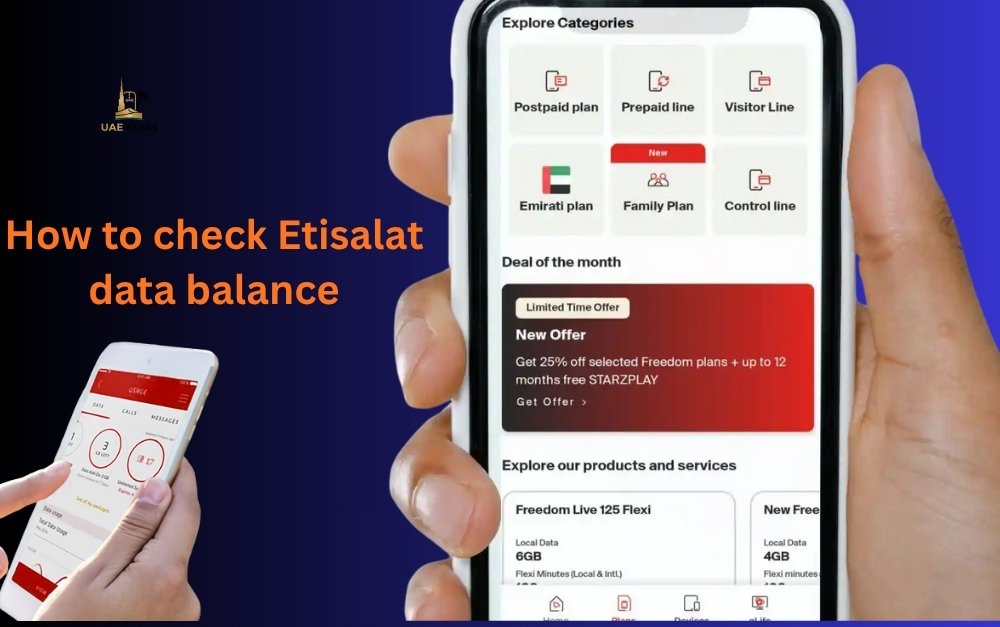
The Etisalat mobile app is the most convenient and reliable method. The app is easy to use and can be downloaded on Android and iOS devices.
Steps:
- Open the Etisalat app on your smartphone.
- You can log in using your registered mobile phone number.
- The home screen will show your remaining SMS or minutes and current data balance.
- View your data plan details including renewal date and usage history.
App Benefits:
- Balance updates in real-time
- Instantly purchase additional data packages
- Offers and promotions are easily accessible
This method is ideal for users who need to make quick visual updates, without having to deal with manual processes.
Check your Etisalat account balance online
You can also check your balance on the Etisalat site if you prefer to use a computer.
Steps:
- Visit the official Etisalat site.
- Use your login credentials to access your account.
- Navigate to “My Account” (or “Usage”) section.
- You will see your current data balance as well as remaining minutes and SMS.
This is the best method for users or professionals who prefer to manage their accounts online, without having to install an app.
You can check your data balance via SMS notification
Etisalat allows you to also receive your data balance via SMS updates. You will receive automatic balance notifications when you subscribe to a package of data.
Etisalat customer service can check the remaining data for you by sending an instant message (the process will vary depending on your plan type).
This method works with any phone model, is easy to use, does not require internet access and can be done without the need for an internet connection.
Find the nearest Etisalat store
You can visit your nearest Etisalat service centre if you are having trouble checking the balance of your data online or via the app. Customer care can help you with billing questions, plan changes, and balance inquiries.
You can also get help understanding your data usage patterns and getting the best package based on what you need.
Etisalat Data Management Tips
When you know how to check Etisalat’s data balance, it becomes much easier to manage your usage. Here are some practical tips on how to extend the life of your data:
- Monitor data consumption of apps: Find out which apps consume the most data, and limit background usage.
- When possible, use Wi-Fi: Use Wi-Fi to stream and download large files.
- Disable automatic updates: Turn off automatic app updates via mobile data.
- Keep track of your balance: It is a good habit to check it every few days.
- Purchase the package that best suits your needs.
You can save data and maintain uninterrupted service by following these tips.
How to check Etisalat balance for calls and SMS
It’s important to know that you can check the Etisalat account balance for both calls and SMS. Most users like to keep track of their entire monthly budget by keeping all their balances in one place.
Etisalat app or account allows you to view the balance of your main account and the remaining minutes. You will also be notified when your plan expires or your balance is running out. You can stay ready and charged before service interruptions.
Related Article: How to check Etisalat balance

How to check your Etisalat number
It can be difficult to remember your Etisalat number if you have more than one SIM card or if you’ve just activated the new SIM. You can check your Etisalat Number by using your phone’s settings, the Etisalat app, or contacting customer service.
After you login to your Etisalat Account, your registered number is always displayed at the top of your app dashboard or account page. You will always have access to your account information when you recharge or share your contact details.
Common Causes of Incorrect Data Display
Your balance may not be updated immediately following a package or recharge. This is usually a temporary delay and can be caused by:
- Recent Plan Activation
- Updates to the system
- Signal issues with network
- Data usage syncing delays
If the problem persists, try restarting your device or checking again in a few moments. Etisalat Customer Care can provide immediate support.
Contacting Etisalat Customer Support
Etisalat offers 24/7 Customer Support for any questions regarding data or balance. You can contact their team by:
- Live chat is available on Etisalat’s website and mobile application
- Call a live agent to get immediate support
- Simple answers via email or social media
The support staff is professional and friendly. They are ready to help you with any questions regarding your account, billing, or data usage.
The Benefits of regularly checking your Etisalat data balance
- Keep informed: Know how much data is left.
- Avoid surprises: Prevent sudden disconnections during important tasks.
- Budget better. Track your monthly usage to adjust your plan.
- Etisalat App: Get personalized data offers
By always being aware of your balance, you can stay connected to your digital life and be in full control.
Related Article: FAB Bank Balance Enquiry
Final Thoughts
You can take control of your mobile device by knowing how to check Etisalat’s data balance. Each method, whether you use the app, website or SMS notifications is designed to be convenient and easy.
Checking your Etisalat account balance regularly will not only help you avoid disruptions, but it will also allow you to manage costs more effectively. With smart usage habits and seamless connectivity, you can enjoy peace of mind. Next time you are wondering how much data is left, use these simple, easy-to-use methods to stay connected.
Related Article: FAB Balance Check
FAQs
How do I check the remaining Etisalat data on my account?
You will be able to check your current data balance on the dashboard of your Etisalat account.
What should I do when my balance doesn’t update?
Refresh the page or app after a few moments. Contact Etisalat Customer Support if it doesn’t appear.
How can I check Etisalat’s balance without internet access?
You can receive SMS notifications indicating your remaining data balance.
What is my Etisalat Number?
Visit your Etisalat account online or open the Etisalat App. Your registered number will appear on the main screen.
How often should I check the balance of my data?
You should check your apps every few days, before downloading, streaming or updating them.