

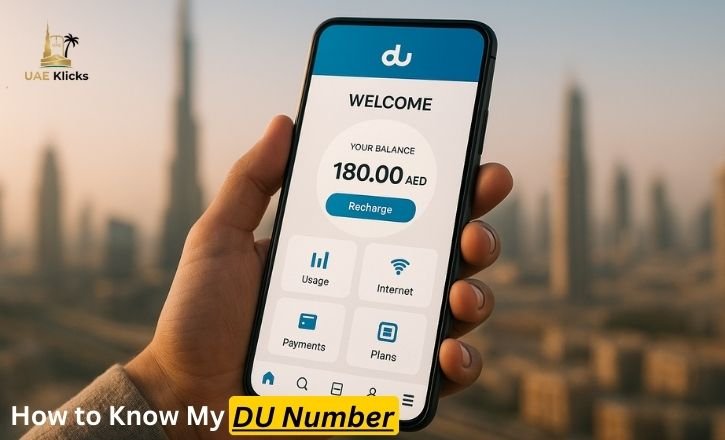
Losing a DU mobile number is quite easy for many residents, tourists, and business users in the UAE. It is necessary to locate your DU number within a short period, regardless of whether your SIM is a new one, not in frequent use, or purchased just to fill your temporary needs. DU provides you with several options to access your number, be it with USSD codes, SMS, DU App, SIM packaging, and customer support. This reference offers every confirmed method of verifying your number in 2025 and remaining connected without any difficulties.
Why Knowing Your DU Number Matters
Your DU number is crucial for multiple services:
- Activating new DU plans
- Registering the Emirates ID number.
- OTP receipts of banking and government applications.
- Filling in official forms or application forms online.
- Reaching DU customer care effectively.
Not knowing your DU number may cause interruptions to your services, failure to receive a given message, and wastage of time in the daily course of life. It is always better to keep track of your number to communicate and manage your account more easily.
5 Simple Ways to Check Your DU Number
Other times, the simplest way to go is to consider all techniques in a single list. The five most sure ways are these.
- *Dial 116# – Instantly displays your number, works without a balance.
- Send SMS to 1355 – Your number will be sent to you through automatic reply.
- Use the DU App – Shows number, balance, and plan details.
- Check Phone Settings – View SIM info directly on Android or iPhone.
- Look at SIM Packaging – The starter pack has your number printed on it.
These avenues are stable, quick, and reach all categories of users, including smartphone users and feature phone users.
How to Check DU Number Using USSD Codes
Checking your DU number is one of the most effective tasks that can be performed with the help of a USSD code since it is immediate and does not require any data balance. The majority of DU users base on this approach as it works with both advanced smartphones and low-end mobile handsets. The network will automatically display your active DU mobile number on the screen by dialing a short code, and it is perfect in case of an emergency or in case of the first-time SIM set-up in the competitive telecom market of the UAE.
Dial 116# to Instantly View Your DU SIM Number
To check your DU number, you can dial the number, just dialing the DU number, i.e., *116#, and the number will be displayed immediately on the screen without the need for any balance or mobile data. The method is the most popular amongst the UAE residents due to its simplicity and compatibility with all DU prepaid and postpaid plans. In case you have recently bought a DU SIM or installed it in a new device, the code will enable you to get your number within seconds, and so, it is perfect for verifying or registering a new number in a shorter time.
Checking DU Number Through SMS
The other, more convenient method of locating your DU number is by sending a simple SMS. This is also the choice of many users, where the USSD fails to respond because of fluctuation of the network or limitations of the handset. SMS based techniques remain effective on various devices, even older models as well as cheaper phones. This will make it one of the best alternatives to users who rely on instant communication or have a high level of access to messaging facilities.
Send an SMS to 1355 to Retrieve Your DU Phone Number
By sending a blank SMS to 1355, you will get your DU number in the form of an auto reply. This type of method is reliable and convenient to use when one has to use multiple lines or dual-SIM phones. The reply is availed by the system of DU ttos, offering the correct information in a speedy way. The SMS approach is a particularly important method to use in cases where you would be required to check your number prior to topping up or switching on roaming in the UAE.
How to Check DU Number Using the DU App
The DU App is an effective solution to the management of your mobile services and access to the necessary account information such as your DU numb, er. Upon logging in, the mobile number appears on the dashboard, and it is easy to use on a daily basis. Data tracking, balance checks, and recharging are also available in the app, thus making it a perfect companion for Alfordigital users in the UAE who would like to have an all-in-one management solution.
Also Check: DU Balance Check Complete 2025 Guide for Prepaid & Postpaid Users
Finding Your DU Number Inside the DU App Dashboard
Upon opening the DU App and scrolling to either the profile or main dashboard, in the very top section, you have your DU mobile number that is connected to your account. The approach is useful to users who often check their mobile usage, buy add-on packages, or track data consumption. Since the app keeps your account details safely, it makes you have your DU number in very easy reach whenever you require it.
Checking DU Number in Phone Settings
Depending on the handset model, the number of your DU may automatically appear on the screen of your smartphone in the device settings. This inbuilt functionality assists in accessing key SIM data without keypads or launching keypads. Even though this is not displayed on all devices, Android and iOS phones can automatically display the mobile line when the SIM is configured correctly.
Locate DU Number Through SIM Status in Device Settings
You can then use the Android and iPhone phone to check the SIM status section under the phone settings to establish whether your DU number is showing. When your gadget detects the details of SIM, the mobile number is displayed next to the mobile data or network option. This is a very convenient way, as the user would rather be in device-level information, and would love to organize their SIM data using ready-to-use system menus.
Checking the DU SIM Card Packaging and Activation Materials
When buying a DU SIM card, the package can normally carry a lot of significant information on the cardholder. Thabout consists of your mobile number in your SIM. Most users also dispose of their packaging in an untimely manner and fail to take advantage of an easy method of locating their number in the future. It is important to maintain a safe place where you can keep the SIM starter kit, in order not to get confused with the DU lines, particularly when using different lines with other family members or in the case of business.
DU Number Printed on SIM Card Holder and Starter Kit
The mobile number is printed on the cardholder that has the most DU starter kits. This allows an easy retrieval of the number in case you have not yet activated the card or your phone is not available. The method can be especially helpful when the new user has just bought his/ her DU SIM and would like to check the number prior to registration or the online verification.
How to Check DU Number by Contacting DU Customer Support
In case with all the self-service methods, you cannot find your number, DU customer support can provide you with an individual approach to the problem. Support representatives will confirm your identity and give correct information about the SIM associated with your Emirates ID. One of the things this strategy adds is the level of security to the users who might be forgoing lost documentation or unregistered SIM cards in the UAE.
Customer Support Verification for DU SIM Number Identification
The customer support team of DU can verify your mobile number by validating your Emirates ID and basic account information to provide secure and reliable customer support. This is the best approach to use in case a technical problem impacts on your SIM, or you need to seek official assistance to recover the account or update the service. The process is easy and reliable, as it involves professional support of new and experienced DU users.
DU Number Check Methods Comparison Table
Below is a simple comparison of the most common ways to check your DU number:
| Method | Requires Balance | Speed | Best For |
| *116# USSD Code | No | Instant | All users |
| SMS to 1355 | No | Fast | Older phones |
| DU App | Yes (internet) | Very Fast | Smartphone users |
| Phone Settings | No | Varies | Android/iPhone users |
| SIM Packaging | No | Instant | New SIM users |
| DU Support | No | Moderate | Troubleshooting |
How to Check DU Number Without Balance or Data
A significant number of users fear that they will not be able to check their DU number once they run out of balance. Fortunately, there are a number several that do not require any charges, and thus, you can be connected even when you have little left in your prepaid credit. These alternatives will prevent delays during a crisis or during peak times when it may not be possible to top up instantly.
Free DU Number Check Options That Work Zero-Balance
Dialing, sending an SMS to 1355, looking into SIM packaging, and accessing device settings are some of the ways that do not require any balance. These applications guarantee the user access to their number at all times, even during emergencies,ies. The free solutions are beneficial to the tourists, temporary visitors and residents who ar,e on prepaid DU services as a means of communication every day.
Conclusion
The process of checking your DU number in UAE is not hard, provided you know wh, at you have. Coding of USSD, SMS, DU App, settings on the gadget, and their customer care support, find a way with any user. This is by integrating these strategies, making sure that you can access your number within a few seconds, your communication is always smooth and that your SIM is, well, organized. Through this guide, DU users will be assured to keep up upof keeping contact anywhere in the UAE.
FAQs
Q1: Is my DU number in check balance?
Yes, you can dial in the numbers that are dialing and which are sending SMS to 1355, and i,t comes off free of credit.
Q2: Will the DU number always be shown on my phone?
The majority of smartphones are under the SIM status, though not all the older phones might show the same.
Q3: What would be the process of ensuring that I own DU SIM?
Visiting a DUa store with your Emirates ID or checking it in the TDRA portal is possible.
Q4: Have I displayed my number in the DU App?
Yes, on logging in your DU number is sh, own on the dashboard.



Leave a Reply