

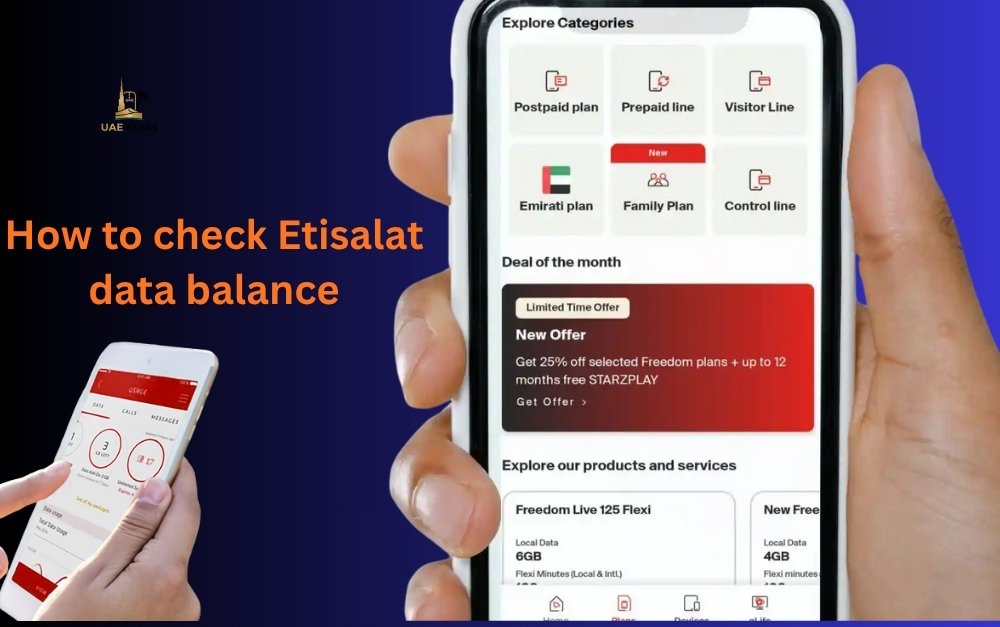
Manage your mobile and financial accounts is an important part of everyday life. You can check your balance using your FAB account or a prepaid Etisalat phone number.
How to check your Etisalat account balance, your data usage and even the balance of a FAB card or Ratibi Card. The methods are simple, easy to use, and work instantly on any device.
Understanding Etisalat Account and Balance Types
How to check Etisalat balance. Etisalat offers a wide range of mobile services to both businesses and individuals. Users manage two types of balances: prepaid and postpaid. Customers who pay by prepayment recharge their accounts before using the services, whereas postpaid customers pay after use.
Checking your remaining credit balance is important for prepaid users to avoid disconnections when using data or calling. Postpaid users can track their monthly expenses and avoid surprises. Etisalat offers special accounts for combo packages and mobile data. Checking your usage regularly will keep your service running smoothly.
FAB is used by many residents for general banking and salary deposits in addition to telecom services. FAB’s Ratibi card is a popular salary solution, allowing workers to receive their wages without the need for a bank account. This article will teach you how to conveniently manage your Etisalat balance and FAB account.
How to check Etisalat balance step by step
There are several simple ways to check your mobile balance if you have an Etisalat Sim card. You can check your balance using a USSD Code, the My Etisalat App, or their website. All methods are quick and free.
Use USSD code to check Etisalat balance
The most direct method is to use the offline method. Simply dial the following number to check your balance.*121#
Your remaining credit will be displayed on your screen immediately after dialing. This method is available to all prepaid users, and it can be used without an internet connection.
Dialing *142# for postpaid users will provide you with information about the remaining minutes, SMS and data usage.
If you are in a rush or do not have Wi-Fi or mobile internet, this USSD method will work for you. This is the method most people use to check their etisalat account balance.
Check balance through the My Etisalat app
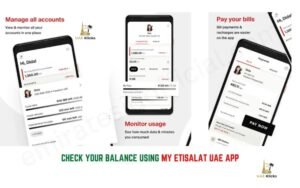
My Etisalat is a convenient and modern way to keep track of your account balance, usage details, and recharge information. Download it from Google Play or the App Store.
After installing the app, you can sign in with your mobile number to see your balance, data and offers.
It also offers quick top-ups and package activations as well as detailed usage tracking. This is especially useful for those who manage multiple SIMs or business numbers.
Check your balance online using the Etisalat website
Etisalat offers an online tool to check your balance if you prefer this method. Log in to your Etisalat account and you can view your balance, whether it is prepaid or postpaid, on the homepage.
You can use this option to manage your mobile plan from a desktop or laptop. This option also shows your data and calls usage in a detailed breakdown.
Users often want to know the remaining internet data in their plan, as well as credit. Send “DATA” to 1010 via SMS to check your remaining data. You’ll get a message within seconds showing the remaining data balance as well as the expiration date of your package.
You can also view your data usage in real time by opening the My Etisalat App and viewing the “Data Usage Section”. These are the easiest and most accurate ways to check Etisalat’s data balance.
Balance Checking Methods for FAB
It is important to keep track of the balance in your bank account, just as you do with your mobile phone. FAB (First Abu Dhabi Bank), offers you several options to check the balance of your account or Ratibi Card at any time.
USSD balance inquiries, mobile app logins, and online banking are the most popular methods. The options are instant and secure, making it easy for users to keep up with account information.
How to do FAB Bank balance enquiry
You can check your account balance quickly if you have a FAB.
- FAB Mobile App – Download the FAB mobile app and log in using your credentials. The home page will display your current balance.
- Log in to the FAB portal using your username and passphrase. The balance of your account will be displayed in the summary.
- You can check your balance by inserting your debit card or Ratibi card into any FAB ATM and selecting “Balance Inquiry”. Your remaining amount will be displayed instantly.
This will help you to manage your finances efficiently and effectively. Users also look for options to check their bank balances in order to confirm recent transactions and salary credits.
FAB Mobile App and online banking
FAB’s app is designed to be user-friendly for those who need quick updates on their finances. You can also manage your credit cards, transfer money or view transactions in the app.
You can check your account balance by using your ID and card number if you have a FAB Ratibi. This is useful for workers who don’t have a fully-funded bank account, but need to confirm their pay stub.
Salary and Balance information for Ratibi Account
Ratibi is a popular salary solution in the UAE, especially for employees who earn up to a specified limit. This prepaid payroll card, issued by FAB allows companies to electronically pay employees’ wages without the need for them to have a bank account.
The card is loaded with the salary each month. Cardholders are able to use ATMs or stores that accept Mastercard to withdraw cash and make purchases.
It’s easy to check your Ratibi balance. Enter your card number into the FAB Ratibi portal or use any FAB ATM for a quick balance check.
The fab balance and salary verification processes are extremely convenient, as workers can always check how much money has been deposited in their account.
How to perform FAB balance enquiry for Ratibi card
Check your Ratibi balance online
- Check your FAB Ratibi account balance.
- Select “Go” and enter your Ratibi Card Number.
- Instantly, the portal will display your balance and most recent transaction.
You can also use any FAB ATM to perform an offline check. This service is quick, free and does not require you to login.
To ensure that salaries are paid correctly and on-time, workers using Ratibi cards should know how to regularly check their balance.
How to manage your balance smartly
- You can also save your USSD codes from FAB and Etisalat to check your balance without the internet.
- Watch your data usage to avoid any unexpected charges.
- Choose the right package for your browsing and calling habits.
- You can use the FAB app to monitor your account regularly and receive alerts when you make a salary deposit or withdrawal.
- Always keep your Ratibi card secure and check your balance every payday.
Regular checks can help prevent service interruptions and overspending. For better financial management, it is important to keep track of your account balances.
Must read: Abu Dhabi Main Bus Terminal
FAQs
What is the Etisalat Balance Check Code?
You can check your Etisalat Prepaid balance by dialing *121#. Postpaid users can dial *142# for account details.
How to check Etisalat balance quickly?
You can also check the data in the My Etisalat App by sending “DATA” to 1010.
How do I check my FAB balance?
Balance inquiries can be made using the FAB mobile application, online banking portal or by visiting any FAB ATM.
What is the Ratibi Card and how do I check its balance
Ratibi, a FAB prepaid card for salary payments, is available. You can check your balance by using the card number online or at any FAB-affiliated ATM.
How can I check my Etisalat FAB and Etisalat balances?
You can check both balances using SMS, mobile apps or USSD codes.



Leave a Reply